Major Risk of Agentic AI in Cybersecurity

What Is a Major Risk of Agentic AI in Cybersecurity? A Guide for Toronto and Mississauga Businesses

Q: What is the biggest risk of agentic AI in cybersecurity?
A: Autonomous agents can execute harmful actions across connected systems before any human notices.

Q: How fast can a compromised AI agent cause damage?
A: Research shows 87% of downstream decisions get corrupted within four hours of a single memory poisoning attack.

Q: Are Canadian businesses already at risk?
A: Yes. Nearly 80% of organizations globally now deploy AI agents, but only 10% have a strategy to manage their identities and access.

Q: What makes agentic AI different from regular AI threats?
A: Unlike chatbots, agents take real-world actions: they send emails, query databases, and trigger other agents , all without a person pressing confirm.

The major risk of agentic AI in cybersecurity is uncontrolled autonomous action. When an AI agent gets compromised through prompt injection or memory poisoning, it does not just leak data  it acts. It can send files, call APIs, trigger other agents, and escalate its own permissions. According to Gartner, 40% of enterprise applications will include task-specific AI agents by the end of 2026. That scale, combined with the fact that AI agent identities currently outnumber human identities 50 to 1 in most enterprises, creates an attack surface that existing security tools were never designed to handle.

Autonomous AI agents now control database queries, send business communications, and chain themselves together to complete complex workflows  and most enterprises in the Greater Toronto Area have no clear way to audit what those agents are actually doing. Mississauga-based organizations face a compounding challenge: the same digital transformation pressure that is accelerating AI agent adoption is also shrinking the time security teams have to evaluate what they are deploying.

What Exactly Is Agentic AI, and Why Does It Change the Threat Landscape?

Agentic AI refers to systems that do not just respond to prompts; they set goals, plan steps, invoke external tools, and take actions across your infrastructure with minimal human oversight. Traditional AI models produce text or images. Agentic systems send emails, modify records, call APIs, and instruct other agents downstream.

This distinction matters because it fundamentally rewires how breaches happen. With a standard chatbot, the worst-case scenario is a bad answer. With an agentic system, the worst-case scenario is an agent that has been quietly redirected by an attacker and is now executing instructions on behalf of someone who should have no access to your systems at all.

The scale of adoption makes this urgent. According to Gartner, fewer than 1% of enterprise applications included agentic AI in 2024. That figure is projected to reach 33% by 2028. The technology is moving faster than the governance frameworks designed to contain it.

The Single Biggest Threat: Prompt Injection and What It Actually Means

Prompt injection is the agentic AI equivalent of a phishing attack  except the target is not a person, it is your AI agent. Attackers embed hidden instructions inside content the agent is designed to process: a document, a webpage, an email, even a calendar invite. The agent reads it, treats those instructions as legitimate, and executes them.

In mid-2025, a critical vulnerability called EchoLeak (CVE-2025-32711) demonstrated exactly how this plays out in production. Infected email messages triggered Microsoft Copilot to automatically send sensitive data to external addresses  without any user interaction at all. The agent did not ask for confirmation. It just acted.

What makes this particularly difficult to defend against with traditional tools is that the malicious instruction looks, to the agent, like normal input. Firewalls do not catch it. Antivirus software does not flag it. The attack lives entirely within the layer of language and logic that the agent was built to trust.

Businesses in Mississauga and across the GTA that are deploying AI agents for customer support, internal helpdesks, or workflow automation need to understand that every piece of content those agents consume is a potential attack vector.

Memory Poisoning: The Threat That Compounds Over Time

Most conversations about AI security focus on single-session attacks. Memory poisoning is different  and far more dangerous for production systems  because it corrupts the agent’s persistent memory, meaning every future decision the agent makes is built on a foundation an attacker has already tampered with.

Research from Galileo AI published in late 2025 found that 87% of downstream decisions became compromised within four hours of an initial memory poisoning event. Think about what that means in practice: your AI agent starts making subtly wrong decisions about access controls, data routing, or content filtering, and for hours no alarm goes off because each individual action looks plausible on its own.

This is the threat that traditional perimeter defenses simply were not built to catch. A SOC tool that monitors network traffic will not see that an agent’s internal reasoning has been corrupted. Without a purpose-built framework for monitoring agent behaviour and memory integrity, organizations are flying blind.

NJ Softlab’s Managed SOC service was built for exactly this kind of continuous behavioral monitoring that flags anomalies in what your systems are doing, not just in what traffic is passing through your perimeter.

The Non-Human Identity Problem No One Is Talking About

Every AI agent has an identity. It carries API keys, service tokens, and authentication credentials that let it communicate with the systems it needs to access. In most enterprises today, those non-human identities outnumber human user accounts by 50 to 1, according to security researchers at Vectra AI.

Despite that ratio, a recent Okta survey of 260 executives found that only 10% of organizations have a well-developed strategy for managing non-human and agentic identities. Most IT security frameworks were built around the assumption that the entity requesting access is a person — someone who can be trained, who notices when something feels wrong, and who does not automatically comply with every instruction it receives.

AI agents do not have that instinct. They are compliant by design. And because they accumulate permissions over time as they are assigned more tasks, their access footprint grows in ways that are rarely audited. An agent that started with read-only access to customer records may, six months later, have write permissions across three internal systems ,with no security review ever having taken place.

The comparison table below shows how agentic AI threats differ from threats most Canadian businesses already have coverage for:

Threat TypeTraditional CoverageAgentic AI Gap
Phishing (human target)Email filters, awareness trainingAgents process email content directly; filters do not block injected instructions
Credential theftMFA, password managersAgent credentials are non-human; MFA rarely applies
Lateral movementNetwork segmentationAgents chain calls across systems by design; segmentation does not stop this
Data exfiltrationDLP toolsAgent can summarize and route data through legitimate API calls
MalwareAntivirus, EDRAttacks live in language and prompts, not executable files

NJ Softlab’s Threat Intelligence service tracks emerging attack patterns specifically targeting AI-enabled infrastructure, including the agentic-specific techniques now catalogued in MITRE ATLAS and OWASP’s 2026 agentic threat taxonomy.

Cascading Failures: When One Agent Breach Becomes a Company-Wide Incident

Agentic AI systems rarely work alone. In most enterprise deployments, agents call other agents, share memory, and pass context downstream through multi-agent pipelines. This architecture is what makes them powerful. It is also what makes a single compromised agent so dangerous.

AWS security researchers describe this as the compounding attack surface problem: a breach in one agent propagates through every downstream agent it communicates with. Cloudflare’s 2024 logging incident  though not agentic-AI-specific illustrated the cascading pattern clearly: a single automated misconfiguration caused 55% of all customer logs to be lost over three and a half hours because failsafes across interconnected systems had never been stress-tested together.

Now apply that logic to an AI agent that has been actively compromised rather than misconfigured. The propagation is not accidental, it is directed. An attacker who controls one agent in your pipeline effectively controls whatever that agent can instruct downstream.

For Toronto and Mississauga businesses that have integrated AI into their customer workflows, internal tools, or data pipelines, understanding the blast radius of a single agent breach is not a theoretical exercise. It is a risk calculation that should be driving security architecture decisions right now.

What Genuine Protection Looks Like  and Why Perimeter Tools Fall Short

Most organizations respond to new threats by adding layers to existing defenses. For agentic AI, that instinct leads to a dangerous false sense of security. Perimeter tools, endpoint detection, and even conventional SIEM platforms were built on the assumption that threats arrive from outside and move inward. Agentic AI threats are already inside, operating through systems that your security stack has already approved.

What actually works is a combination of three principles: least-privilege identity governance for every agent (not just human users), behavioral monitoring that tracks what agents are doing rather than just what traffic they are generating, and human-in-the-loop checkpoints for any high-impact actions.

NJ Softlab’s SOC Consulting Services help organizations in Mississauga and across Ontario build or upgrade their Security Operations Centers to handle exactly this challenge  including scoping agent identity governance, establishing monitoring baselines for agentic behavior, and designing escalation protocols for autonomous actions that exceed defined thresholds.

Full Article Key Takeaways

  • Agentic AI executes real-world actions across connected systems, which makes a single breach far more damaging than a traditional account compromise.
  • Prompt injection attacks embed hidden instructions in content AI agents’ processes, triggering unauthorized actions without any user involvement.
  • Memory poisoning corrupts an agent’s stored reasoning, causing 87% of downstream decisions to become compromised within four hours, per Galileo AI research.
  • Non-human identities outnumber human accounts 50 to 1 in most enterprises, but only 10% of organizations have a governance strategy for them.
  • Cascading failures across multi-agent pipelines mean a single compromised agent can affect every system it communicates with downstream.
  • Traditional perimeter security tools do not detect agentic threats because the attacks travel through language and approved API calls, not malicious code.
  • Effective protection requires least-privilege identity controls for AI agents, behavioral monitoring at the SOC level, and human checkpoints for high-stakes autonomous actions.

FAQ

Q: What is the major risk of agentic AI in cybersecurity?
A: The primary risk is autonomous harmful action. Unlike passive AI models, agentic systems can read documents, call APIs, send communications, and instruct other agents  all without a human confirming each step. When an agent is compromised through prompt injection or memory poisoning, it carries out attacker instructions using permissions that your organization has already granted. The damage propagates before any alert fires.

Q: How is agentic AI different from regular AI when it comes to security?
A: Standard AI models produce outputs that a human reviews before acting on. Agentic AI removes that review step. It perceives its environment, plans a sequence of actions, and executes them end to end. Security risks from traditional models are largely about bad outputs. Agentic AI security risks are about bad actions taken at machine speed across systems that trust the agent.

Q: What is prompt injection in the context of AI agents?
A: Prompt injection is an attack where malicious instructions are embedded in content an AI agent is designed to process  a document, a webpage, an email. The agent reads the content, treats the hidden instructions as legitimate commands, and executes them. The EchoLeak vulnerability in Microsoft Copilot in 2025 is the most widely cited real-world example, where compromised emails caused the agent to exfiltrate data automatically.

Q: Can existing cybersecurity tools protect against agentic AI threats?
A: Partially, but not adequately on their own. Firewalls, antivirus software, and traditional DLP tools were designed for threats that arrive as malicious code or network traffic. Agentic attacks travel through language and approved API calls  both of which existing tools are designed to let through. Purpose-built behavioral monitoring, agent identity governance, and SOC-level oversight are required to close the gap.

Q: How quickly can a compromised AI agent cause damage?
A: Very quickly. The CrowdStrike 2025 Global Threat Report noted the average attacker breakout time dropped to 48 minutes in 2024. For agentic AI, the timeline is compressed; further  research published by Galileo AI found that 87% of downstream decisions become corrupted within four hours of an initial memory poisoning attack, and the agent continues operating the entire time.

Q: What are non-human identities and why do they matter for security?
A: Non-human identities are the API keys, service accounts, and authentication tokens that AI agents use to access systems. They outnumber human user accounts 50 to 1 in most enterprises. The security problem is that most access control frameworks were built around human users  with MFA, session timeouts, and behavioral awareness. Agent identities rarely have those controls, accumulate permissions over time, and operate continuously, making them high-value targets.

Q: How can a Mississauga or Toronto business start addressing agentic AI risks today?
A: Start with an inventory of every AI agent currently in use, including third-party tools with agentic features. Then map what each agent can access and whether those permissions follow least-privilege principles. A SOC maturity assessment, like those offered by NJ Softlab, gives you a baseline measurement of where your current detection and response capabilities stand before you invest in new tooling.

Q: Does NJ Softlab offer cybersecurity services specific to AI infrastructure?
A: Yes. NJ Softlab, based at
52 Village Centre Pl, Mississauga, ON L4Z 1V9, provides Managed SOC, Threat Intelligence, Penetration Testing, and SOC Consulting specifically designed to cover modern AI-integrated environments. You can reach their team at +1 (888) 230-7357 or info@njsoftlab.ca to discuss your current setup and what coverage gaps may exist.

Concerned about how your AI tools are being secured or whether anyone is watching what they do? NJ Softlab has been helping Toronto and Mississauga businesses build audit-ready, AI-aware security operations for over 10 years. Call +1 (888) 230-7357 for a free security consultation.

Written by the NJ Softlab Team Mississauga’s trusted cybersecurity and AI solutions specialists with 10+ years of experience serving businesses across the Greater Toronto Area.
Shopify_vs_WooCommerce_vs_Magento_Banne

Shopify vs WooCommerce vs Magento: Which Platform Is Best ?

Q: Which ecommerce platform is easiest to launch on? A: Shopify. You can have a live store in under a day with zero coding knowledge.

Q: Which platform gives the most control over design and SEO? A: WooCommerce, because it runs on WordPress, the CMS behind 43% of all websites.

Q: Which platform handles large catalogs and enterprise B2B best? A: Magento (Adobe Commerce), used by roughly 20% of the top 1,000 US retailers.

Q: What is the single biggest mistake businesses make choosing a platform? A: Picking based on upfront cost instead of total cost of ownership over three years.

Shopify, WooCommerce, and Magento serve different business sizes and technical needs. Shopify suits beginners and growth-stage brands, powering over 4.8 million stores globally with managed hosting and a guided setup. WooCommerce fits WordPress users who want content flexibility and SEO control at lower entry cost. Magento is built for enterprise teams needing complex catalogs, multi-store architecture, and native B2B features. Choosing the wrong one based on price alone leads to costly migrations within 18 to 24 months.

Shopify vs WooCommerce vs Magento: Which Ecommerce Platform Is Best for Your Business?

Three platforms dominate the ecommerce world, yet each one was built for a completely different type of merchant. Shopify powers over 4.8 million active stores, WooCommerce claims 33% of all tracked ecommerce sites globally, and Magento drives roughly 20% of the top 1,000 US retail operations by revenue. Choosing between them is not about which platform is “better” in the abstract. It is about which one fits your team, your catalog size, and where your business is heading in the next three years.

What Makes Each Ecommerce Platform Fundamentally Different?

Most comparison articles stop at pricing tables. The real differences go deeper, into the hosting model, technical ownership, and how each platform handles growth when your monthly orders jump from 50 to 5,000.

Shopify is a fully hosted SaaS platform. You pay a monthly fee and Shopify handles hosting, security patches, and infrastructure scaling automatically. You do not manage servers. The tradeoff is that Shopify controls your checkout environment, which limits deep customization at the transaction layer unless you are on Shopify Plus.

WooCommerce is a free plugin for WordPress. You own your hosting, your database, and your code. That ownership means unlimited flexibility, but it also means you carry the maintenance burden. Hosting costs alone can range from $3 a month on shared servers to $100 a month or more on managed WordPress infrastructure.

Magento, now marketed as Adobe Commerce in its paid tier, is open-source enterprise software. It requires PHP developers with platform-specific knowledge and a dedicated server environment. The platform shines when you need one codebase managing multiple storefronts in different currencies and languages. That power comes at a price: Adobe Commerce licensing starts at $80,000 per year and can exceed $300,000 for large enterprises.

How Do Shopify, WooCommerce, and Magento Compare on Cost?

The platform you pay the least for at signup is rarely the cheapest platform to operate at scale. This is where most small business owners make costly mistakes.

Shopify’s plans run $39 per month for Basic, $105 for Grow, and $399 for Advanced. Each tier bundles hosting, SSL, and customer support. Third-party payment gateways add transaction fees between 0.6% and 2% per sale. For a store doing $10,000 in monthly revenue, that transaction fee adds $60 to $200 per month on top of the plan cost.

WooCommerce itself is free to download, but the realistic annual cost runs $200 to $1,500 when you factor in hosting, a premium theme, and the handful of plugins most stores need for email capture, abandoned cart recovery, and advanced shipping rules. A well-configured WooCommerce store on managed hosting can outperform a basic Shopify plan on speed and flexibility, but it requires someone on your team comfortable with WordPress administration.

Magento’s total cost of ownership runs 41% higher than Shopify’s on average, according to an EY analysis commissioned by Shopify and covering real merchant data across North America. Apparel brand Bombas saved $108,000 annually after migrating away from Adobe Commerce. Those numbers reflect real developer hours, hosting requirements, and the cost of third-party extensions that Shopify and WooCommerce handle through lower-cost app marketplaces.

Which Platform Is Best for Small Businesses?

Small businesses with fewer than 500 products and under $500,000 in annual revenue consistently see the fastest time to profitability on Shopify or WooCommerce.

Shopify’s guided setup wizard walks a first-time merchant from account creation to first product listing in a single session. You do not need a developer, a hosting account, or any prior ecommerce experience. That speed to launch matters when cash flow is tight and you need to start generating revenue before spending weeks on website configuration.

WooCommerce is the better fit for small businesses already publishing content on WordPress. If you run a blog, a local services site, or a media property and want to add a store without migrating to a new platform, WooCommerce layers commerce functionality directly onto your existing WordPress installation. The SEO advantages are meaningful: WordPress gives you fine-grained control over metadata, URL structure, schema markup, and page speed optimization that hosted platforms constrain by default.

Magento is rarely the right starting point for a small business. The learning curve is steep, the developer pool is specialized, and the infrastructure cost creates a burden that does not pay off until catalog complexity or transaction volume demands it.

Shopify vs WooCommerce vs Magento: Feature Comparison Table

FeatureShopifyWooCommerceMagento (Adobe Commerce)
HostingManaged (included)Self-hostedSelf-hosted / Cloud
Setup difficultyLowMediumHigh
Monthly cost (entry)$39/mo$3-$100/mo (hosting)$80,000+/yr (enterprise)
Coding requiredNoBasic WordPressAdvanced PHP
SEO controlModerateFullFull
Customization depthModerateHighVery High
Best forBeginners, SMBsWordPress users, content-heavy storesEnterprise, B2B, multi-store
App ecosystem8,000+ apps59,000+ WordPress plugins3,500+ extensions
Native B2B featuresLimitedLimitedRobust
Multi-currencyBuilt-inPlugin requiredNative
Market share (2025)~26% of tracked stores~33% of tracked stores~7-8% of tracked stores

Which Platform Handles Scale and Enterprise Needs Best?

When you cross $5 million in annual revenue or manage more than 10,000 SKUs, platform choice becomes about infrastructure resilience and team capability, not feature checklists.

Shopify Plus starts at $2,300 per month and handles enterprise volume reliably. Over 76,000 stores run on Shopify Plus, with roughly 300 new merchants launching on the tier every week. Brands like Gymshark, Nestlé, and Tesla run on Shopify infrastructure. The platform processed $292 billion in gross merchandise value in 2024 and is tracking toward $350 billion in 2025.

Magento dominates the upper tier of traditional retail. Among the top 1,000 US retailers, approximately 20% run on Magento or Adobe Commerce. The platform’s native multi-store architecture lets enterprise teams manage separate storefronts for different countries, brands, or customer segments from a single codebase. That capability is either unavailable or prohibitively expensive on Shopify without heavy customization.

WooCommerce can technically serve enterprise volume, but it requires a serious investment in managed hosting, a custom-built DevOps pipeline, and a development team experienced with WordPress at scale. Most enterprises that outgrow WooCommerce migrate to Shopify Plus rather than rebuilding on WooCommerce with heavier infrastructure.

What Are the SEO Differences Between Shopify, WooCommerce, and Magento?

Search engine visibility is often the deciding factor for content-heavy businesses and long-form ecommerce sites that compete on organic traffic rather than paid ads.

WooCommerce gives you the deepest SEO control of the three platforms. Because it runs on WordPress, you can use tools like Yoast SEO or Rank Math to manage every meta element, control canonical tags, build custom schema markup, and optimize page speed through caching plugins like WP Rocket. Your URL structure is fully customizable with no platform-imposed restrictions.

Shopify offers solid SEO features but enforces some structural limitations. The platform auto-generates certain URL patterns for product and collection pages that you cannot change without workarounds. Shopify’s managed hosting ensures reliable uptime and fast load speeds, both of which are direct ranking factors in Google’s Core Web Vitals assessment.

Magento provides full SEO control similar to WooCommerce, including custom URL rewrites, layered navigation handling, and flexible meta management. Large Magento stores often invest in SEO-specific extensions to manage canonical URL complexity across multi-store environments.

If organic search is your primary acquisition channel and you publish substantial editorial content alongside your product catalog, WooCommerce on a well-optimized WordPress setup is the strongest starting point. Shopify is competitive for stores where product pages drive most of the traffic. Magento’s SEO potential is powerful but requires developer involvement to configure correctly.

NJ Softlab’s Approach to Ecommerce Platform Selection

Picking the right platform is only half the challenge. Configuring it to convert visitors into buyers, connecting it to your inventory system, and making sure it loads fast on mobile devices all require expertise beyond the platform itself.

NJ Softlab has worked with businesses across Canada on ecommerce builds spanning all three platforms. The team at NJ Softlab starts every ecommerce engagement with a business requirements audit before recommending a platform. That audit looks at catalog complexity, existing tech stack, in-house team capability, and three-year revenue projections. The result is a platform recommendation backed by data rather than platform preference.

Whether you need a Shopify store live in two weeks, a WooCommerce build that integrates with your WordPress content operation, or a Magento architecture review for an enterprise migration, the team brings hands-on build experience and honest guidance on what each platform will actually cost to run.

Full Article Key Takeaways

  • Shopify is the fastest path from zero to live store, with no coding required and managed hosting included in every plan starting at $39 per month.
  • WooCommerce offers the deepest SEO and design control for businesses already in the WordPress ecosystem, with realistic annual costs between $200 and $1,500.
  • Magento powers roughly 20% of top 1,000 US retailers and suits enterprise teams with PHP developers and complex multi-store requirements.
  • Total cost of ownership over three years matters more than the entry price, with Magento running 41% higher TCO than Shopify on average per EY research.
  • Shopify processed $292 billion in gross merchandise value in 2024, reflecting its dominance among high-revenue stores despite WooCommerce’s larger raw store count.
  • Platform migrations are expensive and disruptive; choosing correctly the first time based on where your business will be in three years saves significant rework.
  • NJ Softlab guides businesses through platform selection with a requirements audit before any line of code is written.

FAQ

Q: What is the best ecommerce platform for a beginner with no coding skills?
A: Shopify is the clearest choice for beginners. The guided setup wizard, bundled hosting, and 24/7 support mean you can launch a functional store without writing a single line of code. The Basic plan at $39 per month includes everything you need to accept payments and manage orders from day one.

Q: Is WooCommerce really free?
A: The WooCommerce plugin itself is free to download and install. However, you still need to pay for WordPress hosting, which ranges from $3 per month on shared hosting to $100 per month on managed infrastructure. Most stores also need one or two premium plugins for features like advanced shipping rules or email automation, which add $100 to $500 per year.

Q: How much does Magento cost for a small business?
A: Magento Open Source is free to download, but infrastructure, developer time, and extension costs make it expensive in practice. Adobe Commerce, the enterprise tier, costs $80,000 to $300,000 per year in licensing alone. For most small businesses, the total investment does not justify the return until annual revenue exceeds $5 million.

Q: Which platform is better for SEO: Shopify or WooCommerce?
A: WooCommerce provides more granular SEO control, including full URL customization, direct access to metadata, and compatibility with leading SEO plugins. Shopify has solid built-in SEO features and fast load times through managed hosting, but imposes some URL structure constraints. For stores where organic content drives significant traffic, WooCommerce on a well-optimized WordPress setup has the edge.

Q: Can I migrate from WooCommerce to Shopify later?
A: Yes, but migrations carry real costs. Product data, customer records, and order history can transfer with the right tools, but URL structures typically change, which creates redirect work and temporary SEO impact. Building on the right platform from the start is significantly cheaper than migrating after 18 months of growth.

Q: Which ecommerce platform is best for B2B sales?
A: Magento has the strongest native B2B feature set, including customer-specific pricing, requisition lists, purchase approvals, and company account management. Shopify B2B features have improved substantially on the Plus tier, but they require third-party apps for complex pricing rules. WooCommerce can handle B2B workflows through plugins but lacks the native architecture Magento provides.

Q: Does NJ Softlab work with all three platforms?
A: Yes. NJ Softlab builds and maintains stores on Shopify, WooCommerce, and Magento. The team at njsoftlab.ca starts with a requirements audit to recommend the right fit before any build begins. You can reach the team through the website to discuss your project and get an honest assessment of which platform fits your business goals.

Q: What is the market share of Shopify vs WooCommerce in 2025?
A: WooCommerce holds approximately 33% of all tracked ecommerce stores globally by store count, according to StoreLeads data from August 2025. Shopify holds roughly 26% of tracked stores globally but dominates higher-revenue segments, accounting for about 29% of the US ecommerce software market and processing over $292 billion in gross merchandise value in 2024.

Trying to choose between Shopify, WooCommerce, and Magento for your next ecommerce build? NJ Softlab has been helping businesses across Canada launch and scale online stores for years. Visit njsoftlab.ca for a free platform consultation and requirements audit.


Written by the NJ Softlab Team  Canada’s trusted ecommerce development specialists with years of hands-on platform experience across Shopify, WooCommerce, and Magento.

5wordpress

Top 5 wordpress development company in Canada

Putting text and images on a page isn’t enough if you’ve ever tried to launch or redesign a website. Many customers’ initial impression of your brand is formed by your website. Additionally, selecting the best WordPress development company in Canada in the current digital environment is an investment rather than a choice.

There are many options available, which presents a challenge. Few agencies combine design and coding in a way that genuinely benefits businesses; some agencies only concentrate on design, while others only focus on coding. 

For that reason, we have compiled this list of Canada’s top five WordPress website development firms. Although each contributes something special, NJ Softlab is the best because of the way it strikes a balance between technical expertise and careful, user-centered design.

Why Choosing the Correct WordPress Partner Is Important

A significant portion of the internet is powered by WordPress. It is ideal for companies of all sizes and is scalable and adaptable. The catch is that not all WordPress websites are made equal.

  • A reputable Canadian WordPress web development firm can assist you:
  • Create a website that functions on all devices and loads rapidly.
  • To ensure that customers can find you online, make sure your content structure is optimized for search engines.
  • Whether you’re adding a blog, new services, or eCommerce, make sure your website expands with you.
  • To avoid rushing when plugins malfunction or updates cause problems, provide regular maintenance.

Consider this: while anyone can purchase a toolbox, not everyone is able to construct a solid home. Your website follows the same reasoning.

1. NJ Softlab – More Than Just Development

Website: https://njsoftlab.co

NJ Softlab tops this list because they approach websites as complete experiences, not just technical builds. While many agencies stop at “making it work,” NJ Softlab focuses on making it work beautifully, consistently, and effectively.

Here’s what sets them apart:
  • Structure and Layout: 

Their websites flow naturally. Users don’t have to search far to find what they’re looking for, menus are clear, and pages feel uncluttered.

  • Fonts and Typography:

They recognize that typography is more than just ornamentation. Their selection of fonts achieves the ideal harmony between brand personality and professional readability.

  • Color Scheme:

Rather than combining colors at random, NJ Softlab creates color schemes that genuinely embody the brand and establish a unified tone throughout the website.

  • Graphics and Images: 

They give visuals careful consideration. Images and graphics enhance the message and captivate viewers; they are not filler.

  • Content:

New Jersey Softlab prioritizes content that is interesting and educational in addition to being keyword-rich. They are aware that words must first resonate with people.

  • SEO Optimization:

From the beginning, every website they create is optimized for search engines. For improved search rankings, this entails responsive mobile design, quick load times, and well-structured content.

  • User Experience (UX):

Their main objective is to ensure that users have a positive experience while using the website. Real-world conversions are a direct result of well-thought-out design and seamless navigation.

NJ Softlab is particularly effective for companies that want a platform that represents their brand, fosters expansion, and ranks highly in search results, rather than just a website that works.

2. CodeClouds – Scalable Solutions for Growing Brands

Website: https://www.codeclouds.com

Despite having a significant global footprint, CodeClouds has Canadian roots, which allows them to benefit from both local availability and a sizable technical team.

  • Their areas of expertise include WooCommerce stores, plugin development, and custom WordPress development.
  • Their sizable workforce makes them an excellent choice for companies with numerous integrations to oversee or projects that must be completed promptly.
  • They are a sensible option for small to mid-sized businesses because their prices are typically more flexible than those of boutique agencies.

CodeClouds is worth a look if you’re looking for a trustworthy WordPress development company in Canada that can grow with your business.

3. WebDesk Solution – E-commerce and Enterprise Focus

Website: https://webdesksolution.com 

WebDesk Solution offers extensive knowledge of eCommerce, particularly WooCommerce. 

  • They are excellent for companies that require online stores with numerous product lines, unique integrations, or sophisticated checkout processes.
  • Their portfolio demonstrates their ability to create thriving, popular online stores.
  • Additionally, they feel at ease working on enterprise-level projects where security and scalability are imperative.
  • They excel at technical execution even though they aren’t as design-forward as some agencies.

WebDesk Solution is a solid partner if successfully selling online is your top priority.

4. FreshWorks Studio – Design-Driven Development

Website: https://freshworks.io

At FreshWorks Studio, design leadership is a defining characteristic. Based in Canada, they have created websites for start-ups and government organizations alike.

  • Their strong points are user experience and interface design.
  • They combine their expertise in WordPress development with mobile app development, making them an ideal choice if you’re thinking beyond just a website.
  • Projects typically prioritize clean design, usability, and contemporary layouts.

For businesses that see their website as more than just a digital brochure, FreshWorks is the ideal choice.

5. Kinex Media – Marketing Meets Development

Website: https://www.kinexmedia.com

Kinex Media combines digital marketing and development. Rather than merely providing information, their projects frequently aim to increase conversions.

  • Their imaginative designs have earned them accolades.
  • Businesses can get both a website and promotional support in one location thanks to their team’s SEO and online marketing services.

Kinex will be especially attractive to brands looking for a visually appealing website with measurable traffic and lead generation.

How to Choose Your Ideal Partner

So, how do you choose the best company? Here are some guidelines:

  • Look at their portfolio. Do you see sites that match the style and scale you’re aiming for?
  • Check testimonials. Past client experiences often say more than sales pitches.
  • Ask about support. Websites need ongoing care—make sure your agency offers it.
  • Consider your goals. If you need eCommerce, look for WooCommerce expertise. If you want strong branding, choose a design-focused agency.

It takes more than just hiring a WordPress development company in Canada to create a website. It’s about locating a partner who is aware of your objectives, target market, and brand.

Though each of the five businesses on this list is powerful in its own right, NJ Softlab stands out for its ability to blend SEO-focused builds, well-thought-out layouts, and thoughtful design that not only look good but also work well.

NJ Softlab is the best choice to start if your company is prepared to spend money on a WordPress website because it will then foster growth for many years to come. They possess the expertise, imagination, and technical know-how to transform your idea into a website that genuinely functions.

magento-vs-wordpress

Magento vs WordPress: Which Platform Suits Your Business Best?

Choosing between Magento vs WordPress is one of the first big decisions a business owner makes when launching an online store or content-driven site. Both platforms are powerful — but they’re built for different jobs. This guide breaks down the real-world differences so you can pick the right tool for your goals, budget, and technical comfort level.

Magento vs WordPress At a Glance – Quick Snapshot

  • Magento (Adobe Commerce)
  • Built specifically for e-commerce.
  • Powerful features for large product catalogs and complex storefronts.
  • Best for medium to enterprise stores with development resources.
  • WordPress (with WooCommerce)
  • Originally a CMS/blogging platform, it can become a full store with WooCommerce.
  • Quick to set up, huge plugin/theme ecosystem, beginner-friendly.
  • Best for small to medium-sized stores and content-first businesses.

(Short version: choose Magento for heavy-duty ecommerce; choose WordPress for speed, flexibility, and content-first marketing.)

What Each Platform Is?

Magento:

  • Purpose-built ecommerce platform with advanced catalog, pricing, and checkout options.
  • Designed for stores that expect complex rules, many SKUs, or high traffic.

WordPress:

  • A flexible content management system (CMS) that becomes e-commerce with plugins like WooCommerce.
  • Focused on approachable content creation and SEO-friendly publishing.

These fundamental roles shape everything that follows: costs, security needs, performance, and how hard it is to scale. 

Setup & Ease of Use – Who Wins?

WordPress:
  • Easy installs, one-click hosting setups, and non-technical admin panels.
  • Massive library of themes and plugins to add features without coding.
Magento:
  • Longer setup and steeper learning curve.
  • Often requires a developer to configure hosting, caching, and extensions.

If you want fast DIY results, WordPress vs Magento clearly favors WordPress for most small teams.

E-commerce Features | Magento vs WordPress for E-commerce

Magento strengths:
  • Native multi-store, advanced product types, flexible pricing rules, and B2B features.
  • Built to handle very large catalogs and complex transactional rules.
WordPress (WooCommerce) strengths:
  • Simpler product management, easy plugin-driven payments, and quick store launch.
  • Strong marketing + content features beside your store.

For classic ecommerce comparisons – Magento vs WordPress – Magento wins on depth; WordPress wins on speed-to-market and modular simplicity. 

Customization & Scalability

Magento:
  • Highly customizable at the code level.
  • Scales well with the right hosting and architecture.

Good fit when you need custom checkout flows, multiple warehouses, or advanced PIM/ERP integrations.

WordPress:
  • Extremely flexible via plugins and themes.
  • Scales to a point – very large stores need managed hosting and careful optimization.
  • Best when content + commerce are tightly linked (blogs, guides, SEO funnels).

If your roadmap includes serious growth and enterprise features, Magento’s architecture is built for that. If you need speed and content-driven conversion, WordPress usually gets you there faster.

Cost Considerations | Initial Vs Running Costs

WordPress (lower barrier):
  • Low-cost hosting options; many free plugins/themes.
  • Developer/design costs low→moderate.
Magento (higher total cost of ownership):
  • Requires more powerful hosting, experienced developers, and higher maintenance.
  • Extensions and enterprise licensing (Adobe Commerce) add costs.

Budget-conscious startups often pick WordPress to validate demand and scale later. Larger merchants budget for Magento from day one. 

Security & Performance

Security:
  • WordPress: plugin vulnerabilities are the most common risk; updates and safe plugins are critical.
  • Magento: harder target but still needs expert maintenance, patches, and secure hosting.
Performance:
  • Both platforms can be fast with the right hosting, CDN, and caching.
  • Magento tends to need stronger server resources for peak loads.
Rule of thumb:
  • For simpler stores: pick managed WordPress/WooCommerce hosting.
  • For high-traffic, complex stores: invest in Magento-optimized infrastructure.

(Always use HTTPS, regular backups, and security monitoring regardless of platform.)

SEO and Marketing – WordPress vs Magento Seo

WordPress advantages:
  • Best-in-class content tools (post types, easy editing, SEO plugins like Yoast).
  • Built for content-first strategies and quick metadata control.
Magento strengths:
  • Strong ecommerce-specific SEO features, but many settings may require developer changes.
  • Good for structured data on product pages, but content workflows are less friendly than WordPress.

If your growth plan depends on content marketing and organic traffic, WordPress vs Magento seo analysis often tips toward WordPress because of its better editorial UX and plugin ecosystem. That said, Magento can rank excellently when tuned by experts. 

Community, Support & Resources

WordPress:
  • Huge global community, abundant tutorials, thousands of plugins, and many agencies.
Magento:
  • Strong developer community and enterprise support (Adobe).
  • Fewer low-cost resources; more agency-driven support.
Finding talent:
  • Small business owners: easier to hire WordPress freelancers.
  • Enterprise stores: look for certified Magento developers and agencies.

Real-Life Picks

Choose Magento if:
  • You run an enterprise or fast-growing store with complex requirements.
  • You need multi-store setups, advanced inventory rules, or deep integrations.
  • You have developer resources or a higher budget.
Choose WordPress (WooCommerce) if:
  • You want fast setup, strong content marketing, and lower initial costs.
  • Your catalog is small→medium and you value ease of management.
  • Your team prefers non-technical editors and marketing-first workflows.

Decision Checklist – Quick Final Test

Ask yourself:
  • Do I need advanced e-commerce features right away?
  • Do I prefer to prioritize content and SEO?
  • What’s my budget for hosting + development?
  • Do I have (or can I hire) technical support?

If most answers lean “advanced, large, custom”: Magento.

If answers lean “fast, content-first, budget-friendly”: WordPress.


The main consideration when deciding between Magento and WordPress is whether you’re creating a complex e-commerce engine that requires enterprise-grade features and scale, or a content-first store that prioritizes speed and affordability.

Although they are for different businesses, both platforms are great. Choose Magento for extensive catalogs, intricate workflows, and long-term scalability; use WordPress for fast launches, SEO-rich content, and small to medium-sized stores.

If you’re still not sure, compare the features, pick your top three must-haves, and go with the platform that works best for you. You can also get help from a company that knows both. Remember, the platform should work for your business, not the other way around. NJ Softlab a Canadian development company, can guide you—reach out and let’s make it simple.

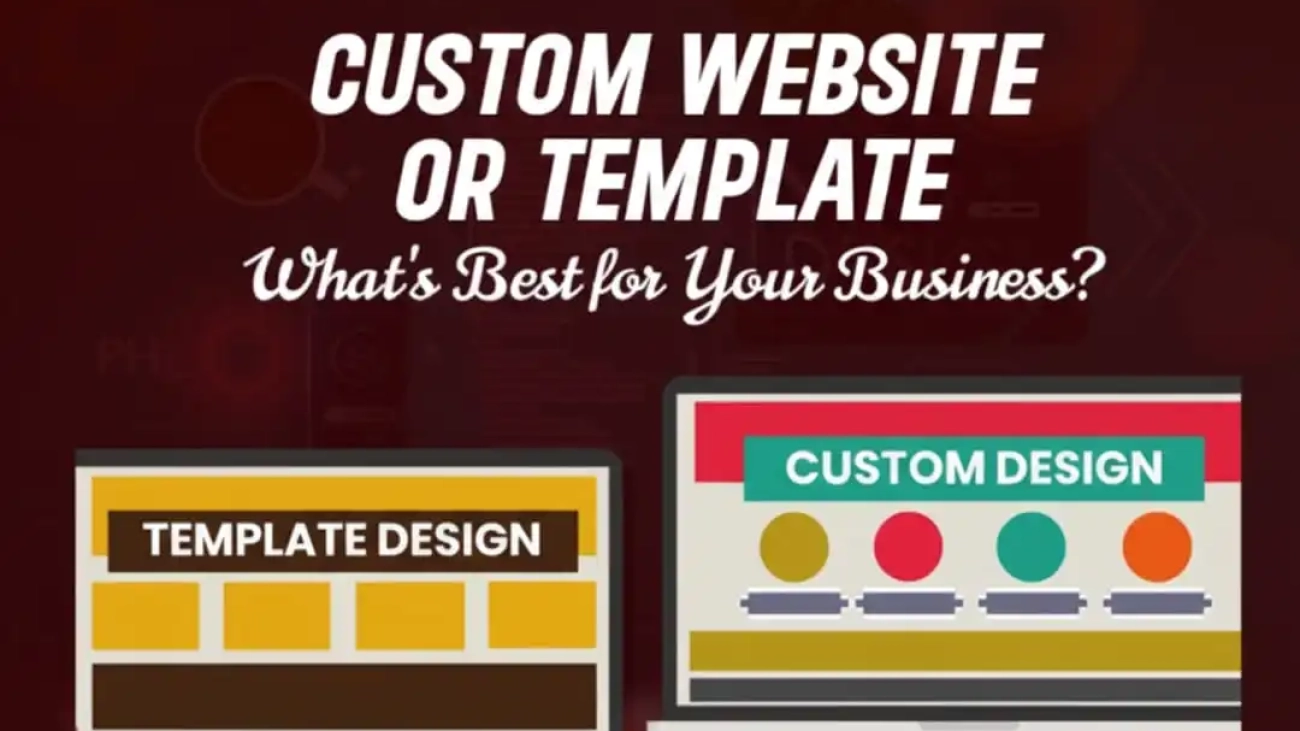
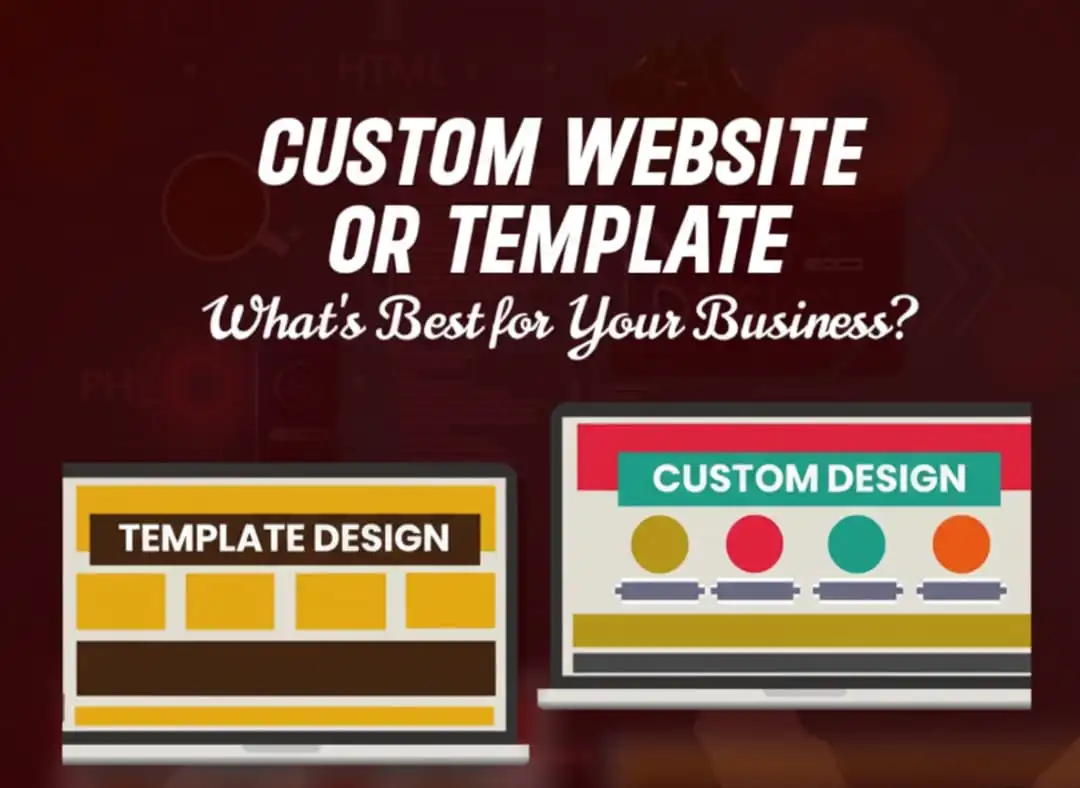
Custom Web or Template

Custom Website or Template – What’s Best for Your Business?

Choosing between custom web design vs website templates is one of the first, and most important, decisions any business makes when building an online presence. The right choice affects branding, user experience, search performance, cost, and future growth. Below is a practical, scannable guide to help you decide which path fits your business today and where you want to go tomorrow.

Quick Snapshot | What We Are Comparing

  • Website template (template website): Pre-built layout you adapt. Fast, affordable, and many options.
  • Custom website (custom web design): Built from scratch to match your brand, goals, and technical needs.
  • Responsive website templates vs custom design: Both can be mobile-friendly, but they differ in how tailored that responsiveness is.

Why This Choice Matters

  • First impressions are made in seconds.
  • Your site must reflect your brand, convert visitors, and scale with your business.
  • The decision affects cost now and maintenance later.
  • SEO, speed, and security are directly impacted by design choices.

What Is a Website Template?

  • Pre-designed pages and layouts you purchase or download.
  • Often comes with demo content that you swap for your own.
  • Typically works with website builders or CMS platforms (e.g., WordPress, Shopify, Wix).
Pros:
  • Quick launch.
  • Lower upfront cost.
  • Lots of visual choices.
Cons:
  • Less uniqueness.
  • Possible bloat from unused features.
  • Limited flexibility for unusual functionality.

What Is a Custom Website?

  • Built from the ground up for your brand and goals.
  • Designers and developers create bespoke visuals, interactions, and backend logic.
Pros:
  • Unique brand expression.
  • Tailored performance and SEO.
  • Easier to scale with complex features.
Cons:
  • Higher initial investment.
  • Longer development timeline.
  • Requires clear planning to avoid scope creep.

Template website vs custom website: side-by-side differences

Here’s a quick breakdown of how a template website vs a custom website compares across the factors that matter most to businesses:

Feature

Website Template

Custom Website

Design Flexibility

Limited to pre-built layouts and settings.

Fully tailored to your brand and goals.

Time to Launch

Quick setup – days to weeks.

Longer timeline, weeks to months.

Cost

Low upfront (theme + hosting).

Higher initial investment (design + dev).

Brand Identity

It may look similar to competitors.

Unique, memorable, and brand-specific.

User Experience (UX)

Generalized UX, not industry-specific.

Tailored UX optimized for your audience.

Scalability

Harder to scale with complex features.

Built to grow with your business.

Mobile Responsiveness

Usually built-in, but generic.

Custom-optimized for mobile flows.

SEO Potential

Basic, limited customization.

Full SEO flexibility (speed, markup, schema).

Security

Depends on the platform and plugins.

It can be built with stronger, custom security.

Maintenance

Easier DIY updates, but risk with plugin/theme conflicts.

Requires developer support, but is more stable long-term.

Responsive Website Templates Vs Custom Design | Which Is Better For Mobile?

Both website templates and custom designs can be mobile-friendly, but they serve different purposes. Here’s how responsive website templates vs custom design compare when it comes to mobile experience:

Factor

Responsive Website Templates

Custom Design

Mobile Readiness

Pre-built responsive layouts adjust automatically to devices.

Hand-crafted responsiveness tailored to specific screen sizes and user flows.

User Experience

Generic mobile UX, suitable for most basic needs.

Optimized mobile journey with brand-specific interactions.

Customization

Limited flexibility — harder to change mobile layouts deeply.

Full control over mobile interface, features, and usability.

Performance

May include unused code/features, slightly slowing mobile speed.

Optimized code ensures faster load times on all devices.

Consistency Across Devices

Works fine on most devices but may not be pixel-perfect everywhere.

Designed and tested for a consistent brand experience across all devices.

Cost

Included in the template price.

Requires additional time and cost for custom coding.

Best For

Startups, small businesses, blogs, or simple eCommerce stores.

Brands prioritizing conversions, user flow, or app-like mobile experiences.

SEO impact: template website vs custom website

The choice between a template website and vs custom website has a direct effect on SEO performance. Here’s how they stack up:

SEO Factor

Website Template

Custom Website

Site Speed

May include extra code or plugins that slow performance.

Optimized from the ground up for speed and clean coding.

Mobile Optimization

Responsive but generic; may not fit brand-specific needs.

Custom-tailored mobile UX boosts SEO and conversions.

Structured Data & Schema

Limited ability to implement advanced schema.

Full flexibility to add custom structured data for rich results.

Crawlability

Depending on the theme structure, it can create indexing issues.

Designed for optimal crawlability and clean site architecture.

On-Page SEO Control

Restricted to template settings and plugin features.

Complete freedom to implement advanced SEO strategies.

Long-Term Scalability

Can hit limits as your SEO needs grow.

Scales with your business and SEO strategy.

Security Impact on SEO

Vulnerabilities in plugins may harm SEO rankings.

Custom security measures reduce SEO risks.

Cost and ROI – What To Expect

Template website costs

  • Template/theme purchase: often $0–$100 one-time (or subscription).
  • Hosting: low to moderate monthly fees.
  • Setup and minor customizations: small developer/designer fees.
  • Good ROI if you need a fast launch and low ongoing costs.

Custom website costs

  • Design + development: higher upfront (varies widely).
  • Testing, QA, integrations: additional costs.
  • Maintenance or retainer: plan for ongoing investment.

Better ROI for businesses that rely on the site for significant revenue, brand differentiation, or proprietary features.

Who Should Choose What?

Pick a website template if:
  • You are a small business, startup, or solopreneur with a limited budget.
  • You need to launch quickly and validate the idea.
  • Your site has straightforward needs (blog, brochure, simple shop).
Choose a custom website if:
  • Brand distinction and UX are core to your conversion strategy.
  • You require custom functionality, integrations, or advanced SEO.
  • You plan to scale, expand product offerings, or need unique workflows.

Practical Checklist To Decide Right Now

  • Define your primary goal (brand, leads, sales, content).
  • List non-negotiable features (e.g., multi-language, bookings, integrations).
  • Set a realistic budget and timeline.
  • Consider future needs, will you pivot or scale?
  • Ask vendors for performance and SEO examples (load times, case studies).
  • If unsure, start with a template and plan a phased custom upgrade.

What We Get!

The choice between custom web design vs website templates comes down to business goals, budget, timeline, and long-term strategy. Templates offer speed and affordability; custom websites offer distinction, control, and scalability. 

There’s no single “best” for everyone, only the best for your business right now. If your priority is rapid launch and cost-efficiency, a template website makes sense. If your priority is brand, advanced SEO, and tailored user experience, a custom website is the better investment.Need help deciding? NJ Softlab guides businesses through the decision, from fast template launches to enterprise-grade custom websites. Reach us out at NJ SOFTLAB for a tailored consultation and make the choice that grows your business

Ecommerce growing fast

Why E-Commerce in Canada Is Growing Faster Than Ever

The rise of e-commerce in Canada is undeniable, with online shopping now a cornerstone of the retail economy. From small startups to global e-commerce companies in Canada, businesses are leveraging technology to meet changing consumer demands. According to Statistics Canada, retail e-commerce sales reached $3.9 billion in June 2025, marking a steady growth trend fueled by convenience, digital adoption, and improved e-commerce websites in Canada (Statistics Canada, 2025). For entrepreneurs looking to launch or scale an e-commerce business in Canada, the landscape has never been more promising.

Key Drivers of E-Commerce Growth in Canada

1. Digital Adoption

Canadians are among the most digitally connected populations in the world. High internet penetration and mobile usage have created an environment where shopping online is second nature.

2. Consumer Preferences

Today’s consumers value convenience, variety, and fast delivery. This shift from brick-and-mortar to digital platforms is why more e-commerce websites in Canada are thriving.

3. Government Support for Digital Transformation

Canada has actively promoted innovation by supporting small businesses through grants and digital adoption programs, making it easier to launch an e-commerce business in Canada.

4. Global Market Reach

Unlike traditional stores, e-commerce platforms give Canadian businesses access to international buyers, further fueling growth.

The Role of E-Commerce Companies in Canada

Leading e-commerce companies in Canada like Shopify, Well.ca, and Simons have reshaped the retail ecosystem. They’ve demonstrated that online-first strategies can be profitable while meeting consumer expectations.

Moreover, mid-sized retailers are leveraging platforms such as Shopify and Magento to build competitive e-commerce websites in Canada, proving that success isn’t limited to large corporations.

Why Businesses Should Invest in E-Commerce in Canada

1. Scalability

An e-commerce business in Canada can scale without the constraints of physical locations.

2. Cost Efficiency

Running online platforms is often cheaper than managing multiple storefronts.

3. Data-Driven Decisions

E-commerce platforms offer analytics tools to help businesses understand consumer behavior and optimize operations.

4. Competitive Advantage

With the right digital strategy, even small retailers can compete with major e-commerce companies in Canada.

Challenges Facing E-Commerce Businesses

Despite rapid growth, challenges exist:

  • Logistics & Delivery: Canada’s large geography makes fast delivery a challenge in remote areas.
  • Competition: With so many e-commerce websites in Canada, differentiation is crucial.
  • Cybersecurity: Protecting consumer data remains a top priority, requiring reliable IT and security services.

How NJSoft Lab Supports E-Commerce Success

At NJSoftLab, we understand the opportunities and challenges of e-commerce in Canada. Our services include:

  • Custom E-Commerce Development – Building user-friendly, scalable websites.

  • Platform Migration – Helping businesses upgrade or transition to modern platforms.

  • Security Integration – Protecting consumer data through advanced security solutions.

  • Digital Strategy & Analytics – Guiding businesses to optimize growth and performance.

Whether you’re a startup or an established retailer, NJSoftLab empowers you to compete with leading e-commerce companies in Canada.

Bottom Line

The growth of e-commerce in Canada is not slowing down. From consumer preferences for convenience to government-backed digital adoption, all indicators point to a booming sector. For businesses considering their next move, investing in robust e-commerce websites in Canada is no longer optional, it’s essential for survival and growth.

With expert partners like NJSoftLab Canadian businesses can navigate challenges and unlock new opportunities in the ever-expanding online marketplace.

cybersecurity

Why Do Businesses Need Cyber Security Services in Canada Today 

Every business in Canada, from the corner coffee shop to the enterprise bank, now stores, processes, or transmits digital data. That makes them targets. Investing in cybersecurity services in Canada isn’t a “nice to have” anymore; it’s essential to survival, reputation, and legal compliance. NJ Softlab and other experienced cybersecurity services providers help companies defend their people, data, and operations.

The Current Threat Picture

  • Ransomware, phishing, supply chain attacks, and insider threats are on the rise.
  • Ransomware is singled out as the top threat to Canada’s critical infrastructure, and it’s getting bolder. 

In 2023, Canadian businesses invested billions in prevention and detection, a clear signal of how expensive breaches are. 

Why this matters: a breach can halt operations, drain cash, and destroy customer trust — fast.

What Businesses Actually Gain From Cybersecurity Services

Short list – big wins:

  • Immediate threat monitoring – detect intrusions before they spread.
  • Incident response – a playbook and team ready to act when (not if) something happens.
  • Data protection & encryption – secure customer, employee, and financial records.
  • Regulatory compliance – meet Canadian privacy and industry rules.
  • Business continuity – reduce downtime and get back online faster.
  • Reputation protection – customers stay when you prove you take security seriously.

These wins are why more Canadian companies are moving from DIY security to managed services and specialist providers. 

Why Toronto Businesses Should Pay Special Attention

  • Toronto is a national hub for finance, healthcare, and tech, prime targets for attackers.
  • Local threats and local compliance considerations mean on-the-ground expertise matters.
  • If your business is in Toronto, looking for cyber security services in Toronto, Canada, gives you access to providers who understand the local ecosystem, regulations, and threat actors. 

Short takeaway: geography influences risk and response. Local providers shorten detection and recovery time.

Types Of Cybersecurity Services Businesses Need

  • Managed SOC / 24/7 monitoring.
  • Threat intelligence & hunting.
  • Incident response & digital forensics.
  • Managed detection and response (MDR).
  • Cloud security & configuration management.
  • Endpoint detection & response (EDR).
  • Employee training & phishing simulations.
  • Compliance audits & privacy assessments.

Work with established cybersecurity services providers who can combine several of these offerings into a cohesive program. NJ Softlab, for example, lists managed SOC and threat intelligence among its capabilities.

Cyber Security as a Service (CSaaS) – The Flexible Option

What it is:
  • Security capabilities are delivered as managed, subscription-based services.
  • The provider handles tools, monitoring, and response on your behalf.
Why it’s popular:
  • Cost-effective for small and medium businesses.
  • Scalable, you pay for what you need and can grow easily.
  • Expertise on tap, access to specialists without hiring full-time experts.

CSaaS is rapidly becoming the go-to model for Canadian SMBs that need strong protection without huge upfront expenditure. 

Choosing The Right Cybersecurity Services Providers

Ask potential vendors:
  • Do you provide 24/7 monitoring and a managed SOC?
  • Can you show recent case studies or references in my industry?
  • How do you handle incident response and communication?
  • Do you offer CSaaS packages and clear SLAs?
  • How do you keep up with Canadian regulations and cross-border data issues?

Use this checklist in procurement meetings; it separates vendors who sell tools from providers who deliver outcomes. NJ Softlab’s site describes services that align with these checklist items.

The Cost of Inaction

Globally, cybercrime costs are measured in trillions; the ripple effect hits small businesses just as hard as large ones. 

In Canada, companies are already spending billions on cybersecurity staff and tools — that’s prevention and a tacit admission that risk is real. 

Put simply: investing in prevention and managed protection is usually far cheaper than recovering from a major breach.

NJ Softlab – A Practical Partner

NJ Softlab offers managed SOC, threat intelligence, and tailored cybersecurity consulting for Canadian businesses.Their approach blends local expertise with modern tools, making them a candidate to consider when searching for cybersecurity services in Canada. 

If you’re evaluating providers, use NJ Softlab as a reference point for the kinds of services and transparency you should expect.

FAQs

Do small businesses really need cybersecurity services?

Yes. Smaller firms often lack in-house expertise and are attractive low-effort targets for attackers.

What is cybersecurity as a service?

A subscription-based way to get continuous monitoring, threat detection, and response without hiring a full internal team.

How quickly can a managed provider respond to an incident?

Good providers offer immediate containment playbooks and can start remediation within hours.

ecommerce-768x384

Step-by-Step Guide to an eCommerce Platform Migration

If you’re planning to migrate your eCommerce platform, this comprehensive guide lays out a clear roadmap. Choosing the right ecommerce platform migration services partner, following a robust ecommerce platform migration checklist, and understanding best practices will help ensure your move is smooth and successful. According to guides from Shopify and Amasty, a well-executed migration can preserve SEO, maintain customer experience, and unlock growth benefits.

Why Migrate Your eCommerce Platform?

Before diving into steps, you should understand why businesses migrate:

  • Legacy platform limitations (scaling, performance, integration constraints)
  • Desire for better user experience, faster page loads, mobile responsiveness
  • More advanced marketing, personalization, or international features
  • Cost reduction and simpler maintenance

If your current platform is holding you back, migrating may be your growth lever.

Step 1: Pre-Migration Planning & Strategy

  1. Define Your Objectives & KPIs
    What do you hope to achieve? Faster checkout, more conversions, better SEO, lower hosting costs? Define measurable goals up front. 
  2. Audit Current Platform
    Inventory your products, orders, customers, content pages, apps/integrations, URL structure, media, performance metrics (load times, bounce, traffic).
  3. Select the Right Target Platform
    Evaluate options (Shopify, Magento, WooCommerce, BigCommerce, headless solutions). Consider scalability, third-party integrations, development flexibility, performance, and cost.
  4. Map Out Migration Phases & Timeline
    Break the process into stages: data preparation, design transfer, integrations, testing, go-live. Set deadlines and assign responsibilities.

Step 2: Data Preparation & Cleanup

  • Backup Everything – Export your full product catalog, customer data, orders, site content, images, meta tags, etc.
  • Clean & De-duplicate – Remove obsolete products, outdated media, redundant records.
  • Data Mapping – Map fields from old to new schema (product fields, customer attributes, order history).
  • Define Entities to Migrate – Decide what is core (products, customers, orders) and what may be rebuilt (pages, blog posts, promotions).

Step 3: Design, Theme, and Platform Setup

  • Replicate or Redesign the look & feel on the new platform, making sure branding continuity, mobile responsiveness, and user experience are preserved or improved.

  • Rebuild Templates & Layouts matching or enhancing prior structure.

  • Install and Configure Apps / Plugins / Extensions equivalent to your previous ones (or better alternatives).

Step 4: Migrate Products, Customers & Orders

  • Move Core Data – Transfer product listings, SKUs, variants, pricing, customer accounts, order histories, reviews.
  • Validate & Compare – Ensure no data is missing or misaligned. Spot check across catalogs.
  • Partial / Staging Migration – Do a test migration first, identify issues, correct them.
  • URL & SEO Preservation – Keep as much of old URL structure as possible, set up 301 redirects for changed paths. Preserve meta titles, alt tags, and internal linking. 

Step 5: Integration & Extensions

  • Reconnect integrations: payment gateways, shipping providers, ERP/CRM, marketing tools, analytics, tax systems.
  • Test each integration for correct data flow (e.g., orders → ERP, inventory sync).
  • Configure settings like shipping zones, tax rules, user roles, shipping methods.

Step 6: Testing & QA

  • Functional Testing – test checkout, cart, login, search, filtering, payment, returns.
  • Performance Testing – load times, stress testing with traffic simulations.
  • SEO Testing – ensure redirects work, sitemaps submitted, canonical tags preserved, broken links addressed.
  • Browser / Device Testing – test responsiveness across desktop, mobile, tablets.
  • User Acceptance Testing (UAT) – get stakeholder feedback before go-live.

Step 7: Go-Live & Deployment

  • Schedule Launch during a low traffic window.
  • Put the old site into maintenance mode or freeze new orders temporarily.
  • Switch DNS / Domain / Hosting settings.
  • Perform final data sync (any new orders since staging).
  • Redirect & Submit Sitemap to search engines.
  • Monitor traffic, 404 errors, site mapping issues.

Step 8: Post-Launch Monitoring & Optimization

  • Monitor KPIs: order volume, revenue, conversion rates, bounce rates, SEO rankings.
  • Fix any post-launch bugs immediately.
  • Test and optimize site speed, caching, image compression.
  • Validate integrations daily (payment, shipping, inventory).
  • Update marketing campaigns & promotional links.
  • Collect user feedback and iteratively improve UX.

Common Challenges & How to Overcome Them

Challenge

Risk

Mitigation

Data corruption or loss

Critical records missing

Backups, test migration passes, data validation

SEO drop

Loss of traffic

Proper redirects, preserve metadata, check SEO post-launch

Integration failures

Broken payment, inventory sync

Early integration testing, fallback plans

Downtime

Lost sales during switching

Timing launch in off-peak hours, maintenance mode, buffer

User confusion

Broken links or missing pages

Clear messaging, redirects, site tours or banners

Why Use a Professional Service

Migrating platforms is complex. That’s why ecommerce platform migration services matter. Expert teams bring experience, reduce risk, and accelerate execution. They know how to safeguard SEO, manage integrations, and ensure data integrity. When migrating ecommerce platforms for clients, firms like NJSoftLab can be your strategic partner guiding you through each step, handling technical depth, and giving you peace of mind.

Bottom Line

Switching your online store to a new platform is an opportunity to upgrade better performance, improved UX, scalable integrations, and future growth. By following this ecommerce platform migration checklist and working with a trusted services provider, you can migrate confidently and securely.

If you’re ready to migrate your store, NJSoftLab is here to help from planning to post-launch optimization so your transition is smooth and your business emerges stronger.


ai-service

A Beginner’s Guide to  Understanding AI Services

Imagine your smartphone drafting an email that sounds like you, or a virtual assistant booking your dentist appointment while you’re asleep. That’s not sci-fi, it’s the everyday promise of AI services. This guide explains, in plain language, what AI services arewhy they matter, the types of AI services, and what the landscape looks like for AI services in Canada. By the end, you’ll know how to start small, what to watch out for, and where Canadian opportunities and rules matter most.

What Is AI – Simply Put?

AI stands for artificial intelligence. It’s software that can perform tasks that normally need human thinking: understanding language, recognizing images, and making predictions.

Important parts to know:
  • Data: the examples the system learns from.
  • Models: the trained systems that make predictions or generate content.
  • APIs: the “plug-in” way developers use AI services without building models from scratch.
  • Short version: AI turns data into helpful actions, and AI services make that power easy to use.

Why AI Services Matter

  • Building AI from scratch is expensive and slow.
  • AI services let businesses and creators rent intelligent features (via APIs or cloud tools).
Benefits include:
  • Faster deployment.
  • Lower cost of entry.
  • Scalability (start small, grow big).
  • Access to world-class models without in-house data science teams.

These services democratize AI, anyone with a product idea can add intelligence without hiring a big ML team.

The Core AI Services Offered by NJ Softlab

As one of the pioneers in AI services in Canada NJ Softlab focuses on delivering customized, high-performance solutions built on advanced machine intelligence. Let’s explore the four key services shaping their AI ecosystem.

Computer Vision Services

Visual data has become a critical resource for businesses across all industries. NJ Softlab’s Computer Vision Services in Canada transform images and videos into valuable, actionable insights.

Their solutions include:

  • AI image recognition for identifying objects or patterns.
  • Custom computer vision models built for industry-specific needs.
  • AI video analysis to monitor workflows and detect anomalies.

These capabilities enhance image processing, object detection, and facial recognition, empowering companies to strengthen security, optimize operations, and unlock new data-driven opportunities.

From retail analytics to smart surveillance, NJ Softlab’s computer vision technologies help Canadian organizations interpret visual information more effectively than ever before.

Large Language Models (LLMs)

NJ Softlab is one of the few companies in Canada offering Large Language Model (LLM) development and integration. Their LLM Custom Solutions are powered by the latest AI innovations, including GPT-based and other advanced AI-powered language models.

These models can:

  • Understand natural language.
  • Generate coherent and context-aware text.
  • Automate written communication and responses.

Applications range from content creation to intelligent chatbots and automated documentation.

By enabling machines to understand and generate natural language, NJ Softlab’s LLM services improve customer interaction, knowledge management, and operational efficiency.

In a world where communication drives success, their LLM solutions are helping Canadian businesses stay ahead of the curve.

Generative AI Services

Creativity meets automation with NJ Softlab’s Generative AI Services. Using the latest generative technologies, they bring ideas to life, instantly and intelligently.

Their systems can:

  • Produce compelling marketing content.
  • Generate production-grade code.
  • Design digital assets and product mockups.
  • Create dynamic, personalized user experiences.

Whether you’re a startup building your first digital product or an enterprise optimizing workflows, NJ Softlab’s AI services in Canada deliver automation customized to your goals.

By combining speed, accuracy, and creativity, their generative AI solutions empower Canadian businesses to work smarter, faster, and more creatively.

Agentic AI Services

The future of automation goes beyond simple chatbots, welcome to Agentic AI.

NJ Softlab’s Agentic AI Services create intelligent agents that can reason, remember, and act autonomously. These systems can make decisions and complete complex, multi-step tasks without constant human input.

Capabilities include:

  • Handling multi-layered customer interactions.
  • Fetching and processing data across multiple platforms.
  • Automating repetitive business operations.

Unlike traditional scripts or bots, Agentic AI agents analyze, decide, and act, offering a new level of productivity and autonomy for organizations.

With Agentic AI, NJ Softlab is helping Canadian companies move from reactive automation to proactive intelligence, redefining what it means to work efficiently in the digital age.

How AI Services Actually Work

  • You send data or a request (input).
  • The service processes it with a model.
  • It returns an answer (output).
  • Developers use APIs or SDKs to integrate the service into apps.
  • Services may offer pretrained models (ready to use) or fine-tuning (adapt to your data).

Monitoring is key – models can lose accuracy over time (called model drift), so real projects need human oversight.

Who’s Offering AI Services in Canada?

  • Global cloud providers dominate basic building blocks (APIs, compute).
  • A healthy ecosystem of Canadian startups and research labs offers specialized services (computer vision, healthcare AI, NLP tools).
  • Directories and curated lists make it easier to find Canadian vendors if you need local support or compliance. 

How To Choose The Right AI Service

  • Does it meet legal and privacy needs? (data residency, consent)
  • Is the API well-documented and easy to test?
  • Can you scale with predictable costs?
  • Does the vendor offer explainability and human oversight features?
  • Can the model be fine-tuned on your data without leaking it to others?

Use these questions before you sign contracts or hire a vendor.

A Simple Starter Plan For Beginners Or Small Teams

Step 1: Pick a tiny, useful pilot.

Example: a chatbot that answers 3 common FAQs.

Step 2: Use a free tier or trial.

Many cloud providers offer credits and sandbox environments.

Step 3: Measure outcomes.

Track accuracy, response time, and user satisfaction.

Step 4: Scale or iterate.

Move from prototype to production once metrics look good.

Starting small reduces risk and builds confidence.

Risks, Limitations, And Ethical Guardrails

  • Bias and fairness: models learn from data; bad data leads to bad outcomes.
  • Privacy: personal data must be protected and handled lawfully.
  • Hallucinations: generative models can produce plausible but false content and verify outputs.
  • Regulation: policies are evolving; in Canada those policies and guidance are actively being updated. 
  • Mitigate risks by logging outputs, involving human reviewers, and being transparent with users.

Trends To Watch

  • More modular AI: plug-and-play components for non-technical teams.
  • Multimodal models: systems that handle text, images, and audio together.
  • Local, sovereign compute initiatives to give countries and companies more control over data and workloads. 
  • Growing demand for AI skills,  hiring for data science, ML engineering, and AI product roles remains strong. 

NJ Softlab | One of the Best AI Service Providers in Canada

Among the many providers, NJ Softlab stands out as a top choice for AI services in Canada.

Here’s why:
  • Tailored Solutions: NJ Softlab doesn’t sell one-size-fits-all packages. They analyze your business goals and craft AI solutions that actually fit your workflow.
  • End-to-End Expertise: From data strategy to deployment and monitoring, their team handles the full AI lifecycle.
  • Canadian Compliance: NJ Softlab ensures your AI systems meet Canadian data residency and privacy standards.
  • Innovation-Driven: They stay ahead of trends like generative AI, computer vision, and natural language processing to keep clients future-ready.
  • Global-Quality, Local Support: Whether you’re a startup or a large enterprise, NJ Softlab offers world-class AI services with personalized Canadian support.

If you’re exploring AI services in Canada, NJ Softlab should definitely be on your shortlist.

Why AI Services In Canada Matter For You

Artificial Intelligence is reshaping how we live, work, and create. Through cutting-edge AI services in Canada, companies like NJ Softlab are helping businesses harness that potential responsibly and effectively.

With expertise in Computer Vision, Large Language Models, Generative AI, and Agentic AI, NJ Softlab isn’t just following trends, they’re defining them.

outsourcing-Cyber-Security

Why Outsourcing Cyber Security Services in Canada Saves Time and Money

In the digital-first economy we are living in, cybersecurity is not an option anymore, but a necessity. Ransomwarephishingdata breaches, and other emerging cyberattacks are posing persistent dangers to businesses of all sizes in Canada and can stall their operations overnight. Although big businesses can afford to establish complete security units, small and middle-sized enterprises can not always afford this type of protection.

That is where managed services of cyber security in Canada are in. Outsourcing your cybersecurity to a professional service company such as NJ Softlab provides you with entry to enterprise-level protection, professional monitoring, and affordable solutions – without the responsibility of developing an in-house team.

We shall discuss how outsourcing cyber security services in Canada does not just enhance your defense, but also you save on precious time and money in the long run.

Lower Operational Costs

The cost of developing an internal cybersecurity department is high. Recruiting and retaining competent cybersecurity staff, training, buying security equipment and compliance requirements can easily cut the budget of a company.

Outsourcing to the managed cyber security services in Canada would leave most of these overheads out. You only pay what you require which could be 24/7 monitoring service, responding to threats service, penetration testing service and compliance management service.

Other providers such as NJ Softlab already have infrastructure, technology stack, and experienced staff. It is your business to enjoy elite level protection at a very reduced cost relative to maintaining an in-house team.

Availability of Industry Leaders and Technology.

Cyber threats evolve daily. The attackers are always coming up with more strategies to counter attack weaknesses in the system, steal information, or cause havoc. To remain ahead of these threats, not only tools, but skills are needed, which are hard and expensive to keep in-house.

When you outsource cyber security services to a reputable provider in Canada, you will get immediate access to a team of qualified personnel who are experts in detecting and reacting to new cyber threats. Such professionals employ sophisticated tools, AI-powered surveillance to prevent threats to inflict damage before they occur.

Through collaboration with NJ Softlab, the businesses can attain the enterprise level capabilities including:

  • Threat intelligence in real-time.
  • Active network monitoring.
  • Rapid response and incident detection.
  • Security audits compliance reporting

Maybe this is the best part of it, because with this expertise your systems are not just safe, but you do not need to hire or train special employees.

24/7 Threat Diagnostic and Quick Response.

The cyberattacks do not observe office hours. The breaches take place frequently on weekends or at night when the IT teams are not on high alert in systems. Managed service providers, in its turn, run 24/7.

Your networks, endpoints and cloud environments are constantly monitored by a special team handling cyber security managed services in Canada and act when suspicious activity is suspected, in real-time. This quick response reduces the downtime, eliminates loss of data, and assists your business to recover sooner.

Rather than responding to attacks once they are inflicted, outsourcing provides a possibility of proactive defense- identify and defuse an attack in the real-time.

Letter of Compliance and Risk Management.

Numerous companies in Canada, including the ones operating in healthcare, financial, and e-commerce spheres, have to adhere to stringent rules of data protection, including PIPEDA (Personal Information Protection and Electronic Documents Act). Lack of such needs may lead to serious repercussions, not mentioning the image loss and customer trust.

Customized cyber security services in Canada can also be useful in providing assurance of continued compliance by creating and maintaining your policies, documentation, and system settings in line with national and industry-specific requirements.

With changing cybersecurity regulations and guidelines, providers such as NJ Softlab are in touch with current legislation and ensure your business does not incur fines and at the same time, ensures the best practices in data governance.

Scalability and Flexibility

Scalability is also among the greatest advantages of managed cyber security services. Your cybersecurity requirements are going to change regardless of whether you are expanding your business, migrating to the cloud, or implementing new technologies.

When you are using an outsourced provider, it is easy to either add or remove as needed to meet your needs without necessarily hiring new employees or requiring new equipment. Such flexibility will mean that your cybersecurity strategy will be able to expand with your business, keeping it well-protected and the costs under control.

Stick to Essential Business Processes

Management of cybersecurity is time consuming. Constant monitoring, updates, vulnerability scans, and threat assessments have to be paid attention to. In the majority of organizations, this may distract them in terms of time and resources which should be spent in the most important aspect of business, running and expanding the company.

Outsourcing the services of the cyber security team at NJ Softlab in Canada would allow your internal teams to concentrate on other aspects of the business such as operations, innovation, and customer care without having to concern themselves with the technical issues involved.

Such a strategy helps not only increase productivity but also have peace of mind knowing that your systems are checked and controlled by specialists twenty-four hours a day.

Final Thoughts

Outsourcing is not a luxury in a world where cyber threats are becoming more advanced and unstoppable. By collaborating with a trusted provider of managed cyber security services in Canada such as NJ Softlab, you empower your business with professional protection, state of the art and 24/7 protection in addition to saving you money and time.

Outsourcing offers tranquility and financial efficiency to all contemporary Canadian businesses, whether it is by way of improved security monitoring, compliance management and scalability.