trusted-web-application-developm

How to Find a Trusted Web Application Development Company in Canada

In a digital-first world, the businesses in Canada are becoming increasingly more dependent on custom web applications to organize their operations, provide better customer experience, and remain competitive. It can be a SaaS application, e-commerce application, booking portal, customer relationship management (CRM), business automation tool; the key to the success of your digital transformation lies in finding the right development partner. However, having hundreds of agencies and freelance web application developers, where do you find a reliable web application development firm in Canada?

This is a strategic guide that can assist in making an informed and risk free choice in case you plan to develop a new platform or upgrade on an existing one.

1. Requirements and Goals of Your Project

Search in-house before you commence your search.

Ask yourself:

  • What is the problem that the web application is supposed to address?
  • Would you like a web-based product to be used internally or externally?
  • What are the possible features and technologies needed?
  • How long will your schedule last and what is the budget?

When these questions are made clear it will not only reduce your search but will also assist the development companies to give you the right proposal and schedule.

2. The Proven Industry Experience to Seek.

An established web application development firm in Canada ought to possess practical experience in the development of platforms just like those that you have in mind. Review their:

  • Portfolio and case studies
  • Client testimonials
  • Experience in the industry (finance, healthcare, e-commerce, logistics, real estate, etc.).

A company that has knowledge of your business industry will save on the time of development and create a solution that goes in line with the real-life challenges.

3. Analyze Technology Stack and Technical Expertise.

Each developer does not specialize in the same frameworks and languages. An effective web application partner must have expertise and skills in the current and scalable technologies like:

  • Frontend: React, Angular, Vue.js.
  • Backend: Node.js, .NET, PHP/Larval, Python, Java.
  • Databases MySQL, MongoDB, PostgreSQL.
  • Cloud & DevOps: AWS, Azure, Google Cloud, CI/CD, Containerization.

Enquire about the apps that they develop, whether they are scalable, secure, mobile responsive, and upgradeable.

4. Make the Project management process transparent

Developing web applications does not only involve code, but involves planning, user interface, user experience design, development, testing, deployment and maintenance. An established company must describe:

  • A clear development roadmap
  • Milestones and deliverables.
  • Regular progress updates
  • Project management tools (Jira, ClickUp, Trello, etc.)

Transparent workflow minimizes time wastage, lack of understanding and unforeseen costs.

5. Answer Security and Compliance Standards.

Web applications handle sensitive information – identities of users, payments, documents, and analytics. In every case, prefer a company which is keen on secure development practices, which include:

  • Data encryption
  • Role-based authentication
  • Backup and disaster recovery.
  • Adherence to the Canadian privacy laws (e.g., PIPEDA)

The architecture should be designed to be secure, and not addressed as a second thought.

6. Question About After Sales Support and Maintenance.

An effective development partner will stick with you even after the development platform has been made available. Confirm whether they offer:

  • Bug fixes and updates
  • Feature enhancements
  • Server and hosting support
  • Performance monitoring

As your business expands so do your web apps and your development staff should expand with you.

7. Compare Pricing Models, But do not select on price alone

The lowest cost alternative may turn out to be the most expensive one in the long-term perspective when the quality of the code is poor or the project has to be revised every time. Find value and not low bids. Request transparent pricing models, be it fixed-cost, milestoned or dedicated team.

The Reason why Canadian Companies trust NJ Softlab

NJ Softlab has become a favourable brand in Canada in terms of software solutions that are high-performing and long-lasting. With the experience in web applications, SaaS solutions, custom portals, automation systems, and enterprise-level solutions, NJ Softlab unites:

  • The latest development technologies.
  • Real-world business insight
  • Transparent communication
  • Long term project alliance.

Our team takes care of every client, making sure that they can grow on a secure, scalable and future-ready solution that is right for them.

Final Thoughts

To find a reliable web application development firm in Canada, it is necessary to conduct research, be clear enough, and be intelligent enough to evaluate the partner, but the right one will not only help you develop your idea into a working platform, he/she will also help you over the years.

In case you are willing to develop or upgrade a web application, NJ Softlab can assist you both in terms of innovation, responsibility, and results-oriented development model.

Image-2025

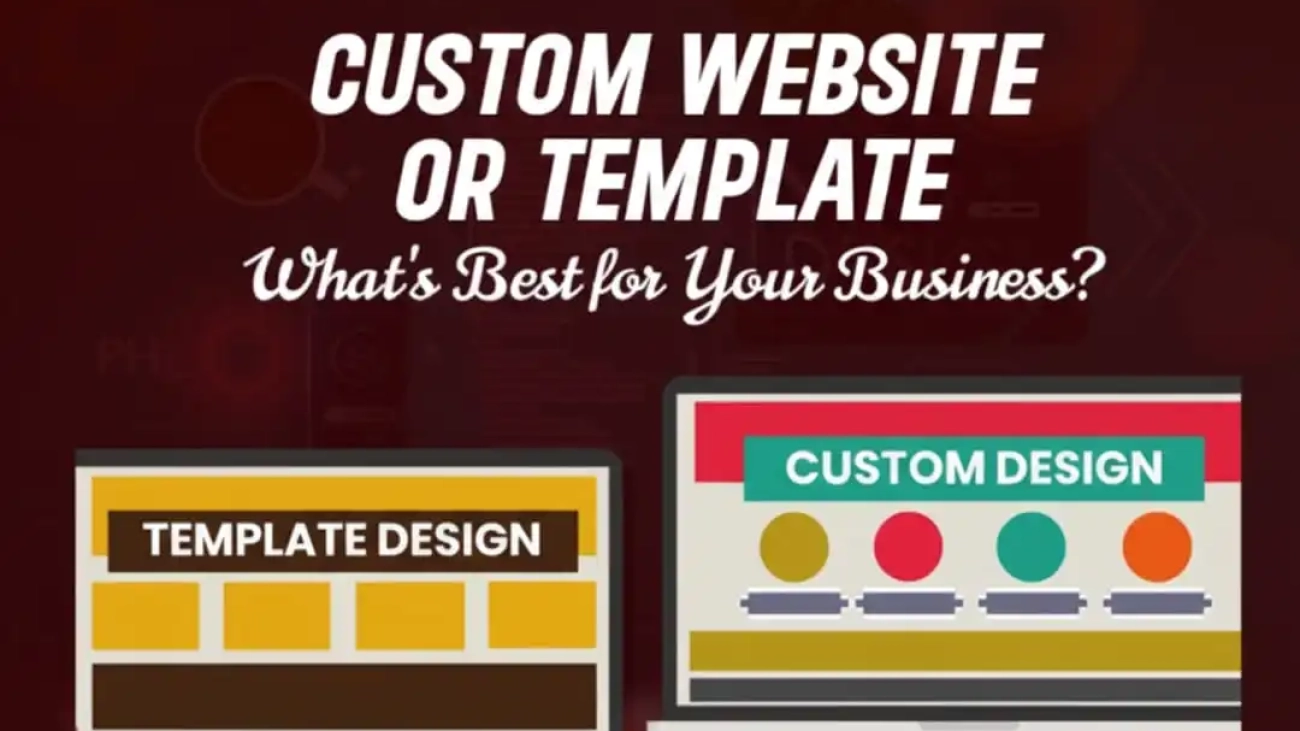
Custom Website or Template – What’s Best for Your Business?

Choosing between custom web design vs website templates is one of the first, and most important, decisions any business makes when building an online presence. The right choice affects branding, user experience, search performance, cost, and future growth. Below is a practical, scannable guide to help you decide which path fits your business today and where you want to go tomorrow.

Quick Snapshot | What We Are Comparing

  • Website template (template website): Pre-built layout you adapt. Fast, affordable, and many options.
  • Custom website (custom web design): Built from scratch to match your brand, goals, and technical needs.
  • Responsive website templates vs custom design: Both can be mobile-friendly, but they differ in how tailored that responsiveness is.

Why This Choice Matters

  • First impressions are made in seconds.
  • Your site must reflect your brand, convert visitors, and scale with your business.
  • The decision affects cost now and maintenance later.
  • SEO, speed, and security are directly impacted by design choices.

What Is a Website Template?

  • Pre-designed pages and layouts you purchase or download.
  • Often comes with demo content that you swap for your own.
  • Typically works with website builders or CMS platforms (e.g., WordPress, Shopify, Wix).
Pros:
  • Quick launch.
  • Lower upfront cost.
  • Lots of visual choices.
Cons:
  • Less uniqueness.
  • Possible bloat from unused features.
  • Limited flexibility for unusual functionality.

What Is a Custom Website?

  • Built from the ground up for your brand and goals.
  • Designers and developers create bespoke visuals, interactions, and backend logic.
Pros:
  • Unique brand expression.
  • Tailored performance and SEO.
  • Easier to scale with complex features.
Cons:
  • Higher initial investment.
  • Longer development timeline.
  • Requires clear planning to avoid scope creep.

Template website vs custom website: side-by-side differences

Here’s a quick breakdown of how a template website vs a custom website compares across the factors that matter most to businesses:

Feature

Website Template

Custom Website

Design Flexibility

Limited to pre-built layouts and settings.

Fully tailored to your brand and goals.

Time to Launch

Quick setup – days to weeks.

Longer timeline, weeks to months.

Cost

Low upfront (theme + hosting).

Higher initial investment (design + dev).

Brand Identity

It may look similar to competitors.

Unique, memorable, and brand-specific.

User Experience (UX)

Generalized UX, not industry-specific.

Tailored UX optimized for your audience.

Scalability

Harder to scale with complex features.

Built to grow with your business.

Mobile Responsiveness

Usually built-in, but generic.

Custom-optimized for mobile flows.

SEO Potential

Basic, limited customization.

Full SEO flexibility (speed, markup, schema).

Security

Depends on the platform and plugins.

It can be built with stronger, custom security.

Maintenance

Easier DIY updates, but risk with plugin/theme conflicts.

Requires developer support, but is more stable long-term.

Responsive Website Templates Vs Custom Design | Which Is Better For Mobile?

Both website templates and custom designs can be mobile-friendly, but they serve different purposes. Here’s how responsive website templates vs custom design compare when it comes to mobile experience:

Factor

Responsive Website Templates

Custom Design

Mobile Readiness

Pre-built responsive layouts adjust automatically to devices.

Hand-crafted responsiveness tailored to specific screen sizes and user flows.

User Experience

Generic mobile UX, suitable for most basic needs.

Optimized mobile journey with brand-specific interactions.

Customization

Limited flexibility — harder to change mobile layouts deeply.

Full control over mobile interface, features, and usability.

Performance

May include unused code/features, slightly slowing mobile speed.

Optimized code ensures faster load times on all devices.

Consistency Across Devices

Works fine on most devices but may not be pixel-perfect everywhere.

Designed and tested for a consistent brand experience across all devices.

Cost

Included in the template price.

Requires additional time and cost for custom coding.

Best For

Startups, small businesses, blogs, or simple eCommerce stores.

Brands prioritizing conversions, user flow, or app-like mobile experiences.

SEO impact: template website vs custom website

The choice between a template website and vs custom website has a direct effect on SEO performance. Here’s how they stack up:

SEO Factor

Website Template

Custom Website

Site Speed

May include extra code or plugins that slow performance.

Optimized from the ground up for speed and clean coding.

Mobile Optimization

Responsive but generic; may not fit brand-specific needs.

Custom-tailored mobile UX boosts SEO and conversions.

Structured Data & Schema

Limited ability to implement advanced schema.

Full flexibility to add custom structured data for rich results.

Crawlability

Depending on the theme structure, it can create indexing issues.

Designed for optimal crawlability and clean site architecture.

On-Page SEO Control

Restricted to template settings and plugin features.

Complete freedom to implement advanced SEO strategies.

Long-Term Scalability

Can hit limits as your SEO needs grow.

Scales with your business and SEO strategy.

Security Impact on SEO

Vulnerabilities in plugins may harm SEO rankings.

Custom security measures reduce SEO risks.

Cost and ROI – What To Expect

Template website costs

  • Template/theme purchase: often $0–$100 one-time (or subscription).
  • Hosting: low to moderate monthly fees.
  • Setup and minor customizations: small developer/designer fees.
  • Good ROI if you need a fast launch and low ongoing costs.

Custom website costs

  • Design + development: higher upfront (varies widely).
  • Testing, QA, integrations: additional costs.
  • Maintenance or retainer: plan for ongoing investment.

Better ROI for businesses that rely on the site for significant revenue, brand differentiation, or proprietary features.

Who Should Choose What?

Pick a website template if:
  • You are a small business, startup, or solopreneur with a limited budget.
  • You need to launch quickly and validate the idea.
  • Your site has straightforward needs (blog, brochure, simple shop).
Choose a custom website if:
  • Brand distinction and UX are core to your conversion strategy.
  • You require custom functionality, integrations, or advanced SEO.
  • You plan to scale, expand product offerings, or need unique workflows.

Practical Checklist To Decide Right Now

  • Define your primary goal (brand, leads, sales, content).
  • List non-negotiable features (e.g., multi-language, bookings, integrations).
  • Set a realistic budget and timeline.
  • Consider future needs, will you pivot or scale?
  • Ask vendors for performance and SEO examples (load times, case studies).
  • If unsure, start with a template and plan a phased custom upgrade.

What We Get!

The choice between custom web design vs website templates comes down to business goals, budget, timeline, and long-term strategy. Templates offer speed and affordability; custom websites offer distinction, control, and scalability. 

There’s no single “best” for everyone, only the best for your business right now. If your priority is rapid launch and cost-efficiency, a template website makes sense. If your priority is brand, advanced SEO, and tailored user experience, a custom website is the better investment.Need help deciding? NJ Softlab guides businesses through the decision, from fast template launches to enterprise-grade custom websites. Reach us out at NJ SOFTLAB for a tailored consultation and make the choice that grows your business.

magneto vs wordpress

Magento vs WordPress: Which Platform Suits Your Business Best?

Choosing between Magento vs WordPress is one of the first big decisions a business owner makes when launching an online store or content-driven site. Both platforms are powerful — but they’re built for different jobs. This guide breaks down the real-world differences so you can pick the right tool for your goals, budget, and technical comfort level.

Magento vs WordPress At a Glance – Quick Snapshot

  • Magento (Adobe Commerce)
  • Built specifically for e-commerce.
  • Powerful features for large product catalogs and complex storefronts.
  • Best for medium to enterprise stores with development resources.
  • WordPress (with WooCommerce)
  • Originally a CMS/blogging platform, it can become a full store with WooCommerce.
  • Quick to set up, huge plugin/theme ecosystem, beginner-friendly.
  • Best for small to medium-sized stores and content-first businesses.

(Short version: choose Magento for heavy-duty ecommerce; choose WordPress for speed, flexibility, and content-first marketing.)

What Each Platform Is?

Magento:

  • Purpose-built ecommerce platform with advanced catalog, pricing, and checkout options.
  • Designed for stores that expect complex rules, many SKUs, or high traffic.

WordPress:

  • A flexible content management system (CMS) that becomes e-commerce with plugins like WooCommerce.
  • Focused on approachable content creation and SEO-friendly publishing.

These fundamental roles shape everything that follows: costs, security needs, performance, and how hard it is to scale. 

Setup & Ease of Use – Who Wins?

WordPress:
  • Easy installs, one-click hosting setups, and non-technical admin panels.
  • Massive library of themes and plugins to add features without coding.
Magento:
  • Longer setup and steeper learning curve.
  • Often requires a developer to configure hosting, caching, and extensions.

If you want fast DIY results, WordPress vs Magento clearly favors WordPress for most small teams.

E-commerce Features | Magento vs WordPress for E-commerce

Magento strengths:
  • Native multi-store, advanced product types, flexible pricing rules, and B2B features.
  • Built to handle very large catalogs and complex transactional rules.
WordPress (WooCommerce) strengths:
  • Simpler product management, easy plugin-driven payments, and quick store launch.
  • Strong marketing + content features beside your store.

For classic ecommerce comparisons – Magento vs WordPress – Magento wins on depth; WordPress wins on speed-to-market and modular simplicity. 

Customization & Scalability

Magento:
  • Highly customizable at the code level.
  • Scales well with the right hosting and architecture.

Good fit when you need custom checkout flows, multiple warehouses, or advanced PIM/ERP integrations.

WordPress:
  • Extremely flexible via plugins and themes.
  • Scales to a point – very large stores need managed hosting and careful optimization.
  • Best when content + commerce are tightly linked (blogs, guides, SEO funnels).

If your roadmap includes serious growth and enterprise features, Magento’s architecture is built for that. If you need speed and content-driven conversion, WordPress usually gets you there faster.

Cost Considerations | Initial Vs Running Costs

WordPress (lower barrier):
  • Low-cost hosting options; many free plugins/themes.
  • Developer/design costs low→moderate.
Magento (higher total cost of ownership):
  • Requires more powerful hosting, experienced developers, and higher maintenance.
  • Extensions and enterprise licensing (Adobe Commerce) add costs.

Budget-conscious startups often pick WordPress to validate demand and scale later. Larger merchants budget for Magento from day one. 

Security & Performance

Security:
  • WordPress: plugin vulnerabilities are the most common risk; updates and safe plugins are critical.
  • Magento: harder target but still needs expert maintenance, patches, and secure hosting.
Performance:
  • Both platforms can be fast with the right hosting, CDN, and caching.
  • Magento tends to need stronger server resources for peak loads.
Rule of thumb:
  • For simpler stores: pick managed WordPress/WooCommerce hosting.
  • For high-traffic, complex stores: invest in Magento-optimized infrastructure.

(Always use HTTPS, regular backups, and security monitoring regardless of platform.)

SEO and Marketing – WordPress vs Magento Seo

WordPress advantages:
  • Best-in-class content tools (post types, easy editing, SEO plugins like Yoast).
  • Built for content-first strategies and quick metadata control.
Magento strengths:
  • Strong ecommerce-specific SEO features, but many settings may require developer changes.
  • Good for structured data on product pages, but content workflows are less friendly than WordPress.

If your growth plan depends on content marketing and organic traffic, WordPress vs Magento seo analysis often tips toward WordPress because of its better editorial UX and plugin ecosystem. That said, Magento can rank excellently when tuned by experts. 

Community, Support & Resources

WordPress:
  • Huge global community, abundant tutorials, thousands of plugins, and many agencies.
Magento:
  • Strong developer community and enterprise support (Adobe).
  • Fewer low-cost resources; more agency-driven support.
Finding talent:
  • Small business owners: easier to hire WordPress freelancers.
  • Enterprise stores: look for certified Magento developers and agencies.

Real-Life Picks

Choose Magento if:
  • You run an enterprise or fast-growing store with complex requirements.
  • You need multi-store setups, advanced inventory rules, or deep integrations.
  • You have developer resources or a higher budget.
Choose WordPress (WooCommerce) if:
  • You want fast setup, strong content marketing, and lower initial costs.
  • Your catalog is small→medium and you value ease of management.
  • Your team prefers non-technical editors and marketing-first workflows.

Decision Checklist – Quick Final Test

Ask yourself:
  • Do I need advanced e-commerce features right away?
  • Do I prefer to prioritize content and SEO?
  • What’s my budget for hosting + development?
  • Do I have (or can I hire) technical support?

If most answers lean “advanced, large, custom”: Magento.

If answers lean “fast, content-first, budget-friendly”: WordPress.


The main consideration when deciding between
Magento and WordPress is whether you’re creating a complex e-commerce engine that requires enterprise-grade features and scale, or a content-first store that prioritizes speed and affordability.

Although they are for different businesses, both platforms are great. Choose Magento for extensive catalogs, intricate workflows, and long-term scalability; use WordPress for fast launches, SEO-rich content, and small to medium-sized stores.

If you’re still not sure, compare the features, pick your top three must-haves, and go with the platform that works best for you. You can also get help from a company that knows both. Remember, the platform should work for your business, not the other way around. NJ Softlab a Canadian development company, can guide you—reach out and let’s make it simple.

5wordpress

Top 5 wordpress development company in Canada

Putting text and images on a page isn’t enough if you’ve ever tried to launch or redesign a website. Many customers’ initial impression of your brand is formed by your website. Additionally, selecting the best WordPress development company in Canada in the current digital environment is an investment rather than a choice.

There are many options available, which presents a challenge. Few agencies combine design and coding in a way that genuinely benefits businesses; some agencies only concentrate on design, while others only focus on coding. 

For that reason, we have compiled this list of Canada’s top five WordPress website development firms. Although each contributes something special, NJ Softlab is the best because of the way it strikes a balance between technical expertise and careful, user-centered design.

Why Choosing the Correct WordPress Partner Is Important

A significant portion of the internet is powered by WordPress. It is ideal for companies of all sizes and is scalable and adaptable. The catch is that not all WordPress websites are made equal.

  • A reputable Canadian WordPress web development firm can assist you:
  • Create a website that functions on all devices and loads rapidly.
  • To ensure that customers can find you online, make sure your content structure is optimized for search engines.
  • Whether you’re adding a blog, new services, or eCommerce, make sure your website expands with you.
  • To avoid rushing when plugins malfunction or updates cause problems, provide regular maintenance.

Consider this: while anyone can purchase a toolbox, not everyone is able to construct a solid home. Your website follows the same reasoning.

1. NJ Softlab – More Than Just Development

Website: https://njsoftlab.co

NJ Softlab tops this list because they approach websites as complete experiences, not just technical builds. While many agencies stop at “making it work,” NJ Softlab focuses on making it work beautifully, consistently, and effectively.

Here’s what sets them apart:
  • Structure and Layout: 

Their websites flow naturally. Users don’t have to search far to find what they’re looking for, menus are clear, and pages feel uncluttered.

  • Fonts and Typography:

They recognize that typography is more than just ornamentation. Their selection of fonts achieves the ideal harmony between brand personality and professional readability.

  • Color Scheme:

Rather than combining colors at random, NJ Softlab creates color schemes that genuinely embody the brand and establish a unified tone throughout the website.

  • Graphics and Images: 

They give visuals careful consideration. Images and graphics enhance the message and captivate viewers; they are not filler.

  • Content:

New Jersey Softlab prioritizes content that is interesting and educational in addition to being keyword-rich. They are aware that words must first resonate with people.

  • SEO Optimization:

From the beginning, every website they create is optimized for search engines. For improved search rankings, this entails responsive mobile design, quick load times, and well-structured content.

  • User Experience (UX):

Their main objective is to ensure that users have a positive experience while using the website. Real-world conversions are a direct result of well-thought-out design and seamless navigation.

NJ Softlab is particularly effective for companies that want a platform that represents their brand, fosters expansion, and ranks highly in search results, rather than just a website that works.

2. CodeClouds – Scalable Solutions for Growing Brands

Website: https://www.codeclouds.com

Despite having a significant global footprint, CodeClouds has Canadian roots, which allows them to benefit from both local availability and a sizable technical team.

  • Their areas of expertise include WooCommerce stores, plugin development, and custom WordPress development.
  • Their sizable workforce makes them an excellent choice for companies with numerous integrations to oversee or projects that must be completed promptly.
  • They are a sensible option for small to mid-sized businesses because their prices are typically more flexible than those of boutique agencies.

CodeClouds is worth a look if you’re looking for a trustworthy WordPress development company in Canada that can grow with your business.

3. WebDesk Solution – E-commerce and Enterprise Focus

Website: https://webdesksolution.com 

WebDesk Solution offers extensive knowledge of eCommerce, particularly WooCommerce. 

  • They are excellent for companies that require online stores with numerous product lines, unique integrations, or sophisticated checkout processes.
  • Their portfolio demonstrates their ability to create thriving, popular online stores.
  • Additionally, they feel at ease working on enterprise-level projects where security and scalability are imperative.
  • They excel at technical execution even though they aren’t as design-forward as some agencies.

WebDesk Solution is a solid partner if successfully selling online is your top priority.

4. FreshWorks Studio – Design-Driven Development

Website: https://freshworks.io

At FreshWorks Studio, design leadership is a defining characteristic. Based in Canada, they have created websites for start-ups and government organizations alike.

  • Their strong points are user experience and interface design.
  • They combine their expertise in WordPress development with mobile app development, making them an ideal choice if you’re thinking beyond just a website.
  • Projects typically prioritize clean design, usability, and contemporary layouts.

For businesses that see their website as more than just a digital brochure, FreshWorks is the ideal choice.

5. Kinex Media – Marketing Meets Development

Website: https://www.kinexmedia.com

Kinex Media combines digital marketing and development. Rather than merely providing information, their projects frequently aim to increase conversions.

  • Their imaginative designs have earned them accolades.
  • Businesses can get both a website and promotional support in one location thanks to their team’s SEO and online marketing services.

Kinex will be especially attractive to brands looking for a visually appealing website with measurable traffic and lead generation.

How to Choose Your Ideal Partner

So, how do you choose the best company? Here are some guidelines:

  • Look at their portfolio. Do you see sites that match the style and scale you’re aiming for?
  • Check testimonials. Past client experiences often say more than sales pitches.
  • Ask about support. Websites need ongoing care—make sure your agency offers it.
  • Consider your goals. If you need eCommerce, look for WooCommerce expertise. If you want strong branding, choose a design-focused agency.

It takes more than just hiring a WordPress development company in Canada to create a website. It’s about locating a partner who is aware of your objectives, target market, and brand.

Though each of the five businesses on this list is powerful in its own right, NJ Softlab stands out for its ability to blend SEO-focused builds, well-thought-out layouts, and thoughtful design that not only look good but also work well.

NJ Softlab is the best choice to start if your company is prepared to spend money on a WordPress website because it will then foster growth for many years to come. They possess the expertise, imagination, and technical know-how to transform your idea into a website that genuinely functions.